Neon Law Navigator
Use Navigator in your AI assistant through MCP, or from your terminal with the Navigator CLI.
Remote MCP
Connect Navigator to your AI assistant
Browse public legal Templates from a chat app that supports remote MCP. You can use Template discovery without a Navigator account.
Add a custom connector
Open your assistant's connector settings and choose the option to add a custom MCP server. In Grok, open Connectors, choose New Connector, then select Custom.
Enter the Navigator URL
https://neonlaw.com/app/mcpis the server URL. If asked for a transport, choose Streamable HTTP.Try a request in chat
Ask “List Navigator’s public Templates.” If you ask “Create a work in progress,” Navigator asks whether you want a matter summary or want to record time or a cost.
Notations
Notations are filled-in Templates with a workflow.
Use Navigator to browse public Templates in chat. A Notation is what you get when you fill in a Template for a Person in a Project.
One connected Project
Navigator is the center of the work.
A Project can include one or more cases, companies, filings, and more so long as it's related to the best interest of our clients.
Internal Slack
Firm-only Project conversation.
Internal Notion
Firm working notes and knowledge.
Project repository
The matter's Git history of pages, Drafts, and document pointers.
Matter Pages
Lawyer and client dashboards declared in navigator.yaml.

The Project center
Navigator
Web API MCP CLI
Shared Slack
Client collaboration when the Project uses it.
Per-Project Inbox
Project email intake and conversation.
Google Drive folder
Large document intake
Shared Notion
Client collaboration when the Project uses it.
MCPs
- Court Listener
- Descrybe
- Exa
- Midpage
- Perplexity
Agentic Legal Coding
- Antigravity
- Claude Code
- Codex
- Cursor
SaaS
- Descript
- DocuSign
- Google Workspace
- Linear
- Mercury
- Restate
- SurrealDB
- Twilio
- Xero
Declarative matters
Declare the matter. Git keeps the history.
Each Project is its own repository of YAML and Markdown. No application code: you declare what the matter shows, and every change is a reviewed commit.
Declare the pages
A page in
navigator.yamlnames its kind and the Sections each lens shows. Navigator renders it from the matter's records.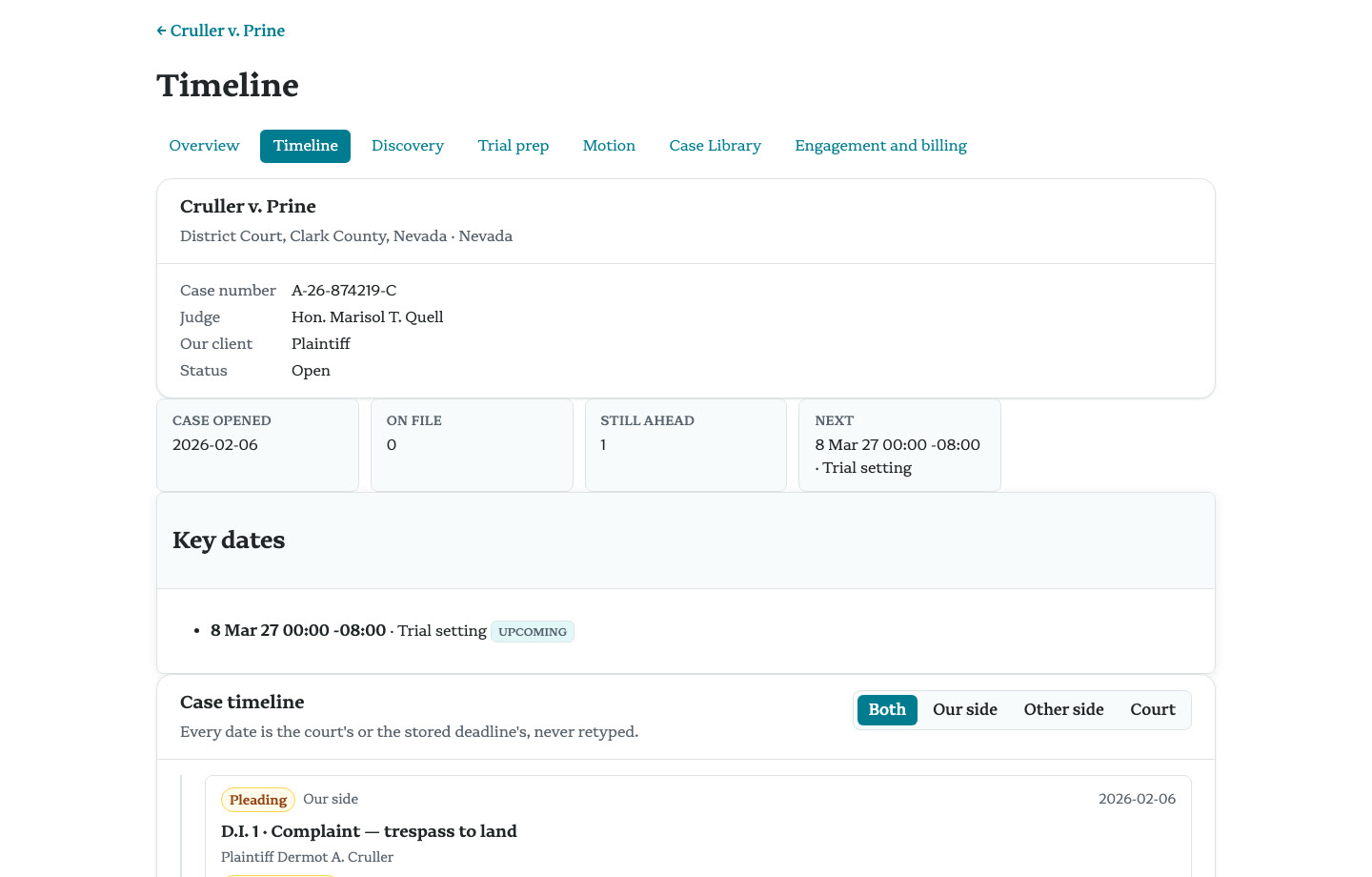
One page, two lenses
The client lens lists fewer Sections. What the client sees is a line in a pull request, reviewed before it merges.
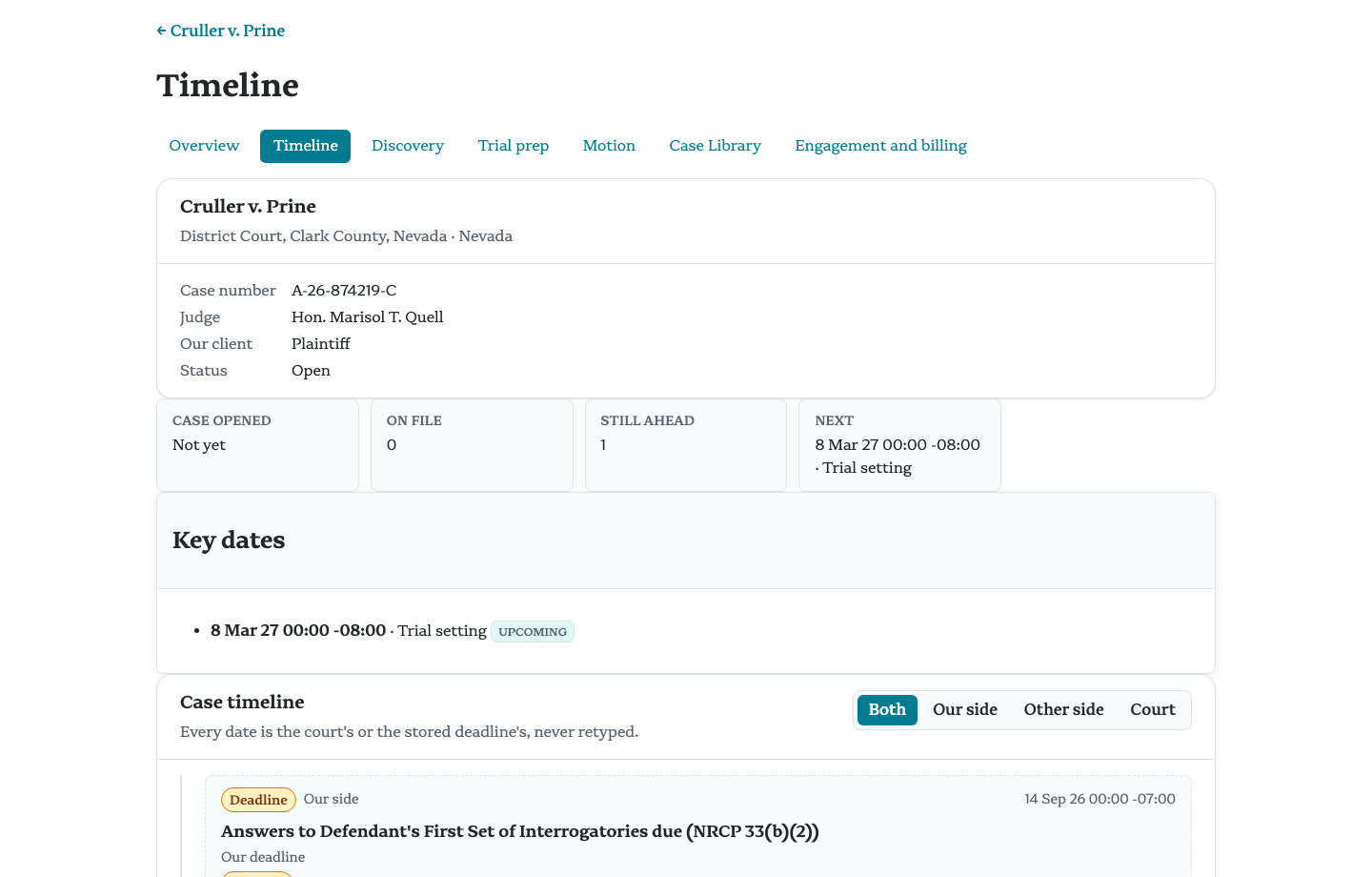
Gate, then merge
navigator project gatechecks every declaration in CI, and merging publishes. A new gate rule reaches every matter with the next release.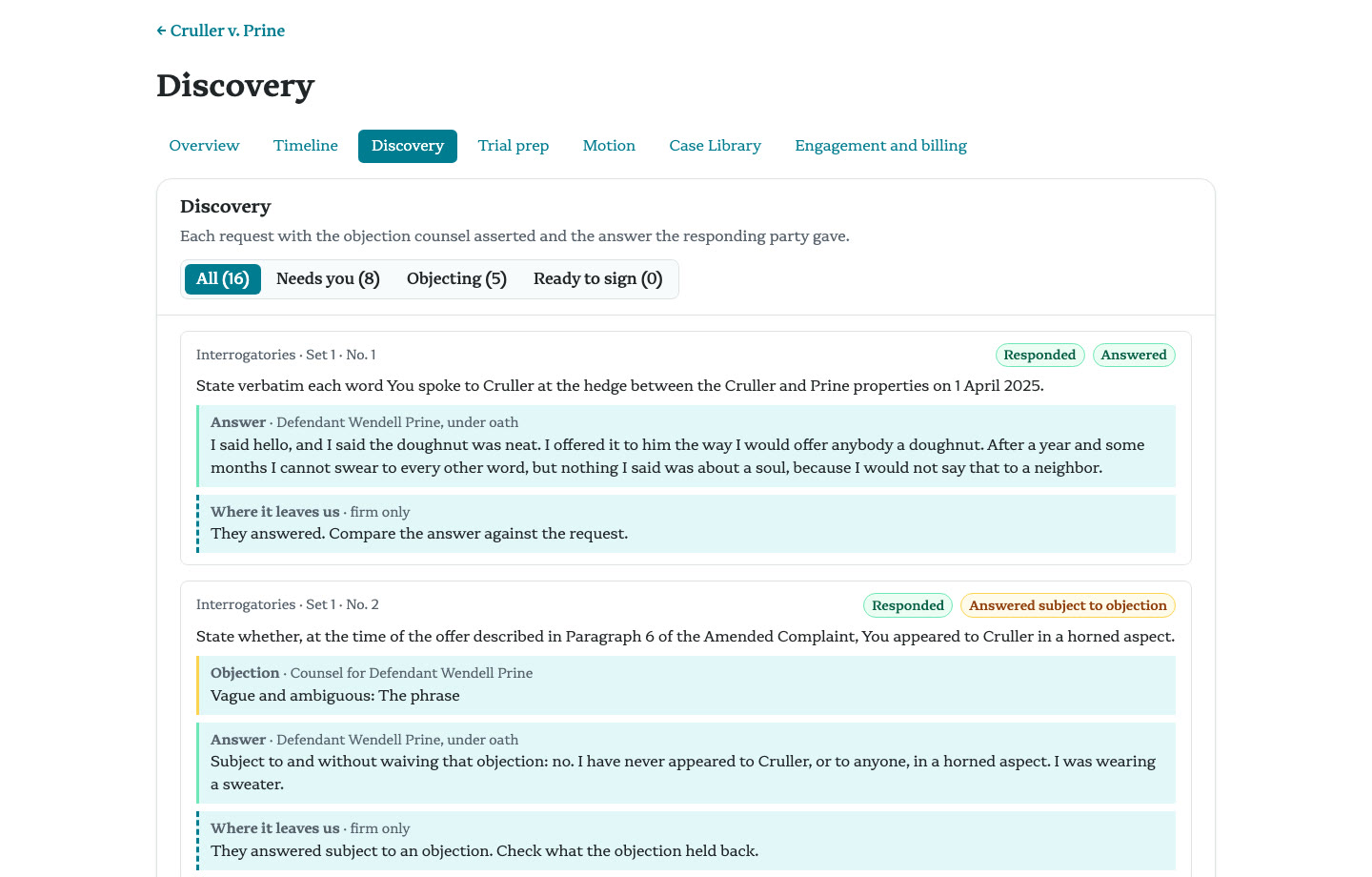
Convene the councils
Every Project repository ships the same Agent Skills: the engineering council for structure, the client council for how a client reads it, and the legal council for the substance. Each reads the glossary first and answers tersely.
Token efficiency
Spend tokens on the legal work, not on context.
An agent that has to rediscover your terms, your matter, and your forms spends tokens getting oriented before it does any legal work. Navigator writes that context down once, where the agent can read it in one call.
The glossary is the ontology: navigator glossary show returns one term's definition, so the agent uses the defined term instead of a synonym.
Each Project's navigator.yaml pins its Project Skills, the jurisdiction and practice-area playbooks the agent reads first.
Drafts and pages are text in Git, so each revision costs the change, not a redraft.
The CLI and MCP server give Claude Code, Codex, and Cursor the same commands a lawyer runs.
Hosted Navigator for legal aid
One price per user per month, plus model tokens.
We host Navigator for legal aid organizations, with your own brand name and Forgejo instance included.
Video
Presentation
Download
Run Navigator yourself
Navigator is open source under MIT OR Apache-2.0. It is built for Macs and for containers in the cloud: download it for Apple silicon macOS or x86_64 Linux. Each release is attached to the public GitHub repository.
Version 26.11.17-rc.1 · every release
macOS
Apple silicon · tar.gz
navigator-26.11.17-rc.1-macos.tar.gz
Linux
x86_64 · glibc · tar.gz
navigator-26.11.17-rc.1-linux.tar.gz
Install with Homebrew
The formula lives in our own tap, neon-law/homebrew-navigator, which is updated by every release.
Install with the command below, then run navigator quickstart. With Docker running, it brings up the full stack in KIND with a seeded sample firm and three sample matters, each cloned from its own Project repository: Cruller v. Prine, Widget Works, and the Estate of Cornelius Montgomery.
Free use for those who co-counsel with us.
We believe practicing law is better together and we'd prefer to do our current cases with great attorneys like you. Anyone who co-counsels a case with us gets the software free for life for their own practices.
contact@neonlaw.com